CAD 4 War Unity Source Code

About This Source Code
Description :
–CAD-4 is your ultimate solution for creating ANY FPS game. It is a professional, kinematic character controller designed to include the smoothest first person controls and to excel in all areas: PC, mobile, console, AI, networking.
Mission: +75 Levels + 5 Big Environments + Camera Filters Shader +270 Effects!
Main Menu Overview :
Project View Demo:
– Kinematic Character Controller
– First Person Camera Controller
– Dynamic Gravity System
– Advanced Moving Platform System
– Extensible Ability System
– Supports Dual Wielding
– Procedural Spring Animations
– Visible Trajectory Curve
– Inverse Kinematics (IK)
– Wide Variety of Shoot able Weapons
– Dynamic Effects with Surface System
– Virtual Controls
– Pickup Objects
– Damage System
– Spawn System
– Object Pooler
– Build Characters and Items in Seconds
– AI Integration with Behavior Designer
– Tutorial Videos
Level Selection Overview:
Integrations
– A* Pathfinding Project
– Adventure Creator
– Behavior Designer
– Control Freak
– DestroyIt
– Dialogue System
– Easy Touch
– Final IK
– FPS Mesh Tool
– InControl
– Playmaker
– Quest Machine
– Rewired
– UMA
GAME UI/UX NGUI is a very powerful UI system and event notification framework.
Features
– Editor integration, WYSIWYG
– Localization, data binding, delegates, events
– Supports all platforms
– Make UIs that take 1 draw call
– Comes with full C# source code
– Extensively optimized
– Dedicated support
Features :
Unity 2018
64-bit
Ready to Release.
Optimized for iOS and Android.
Admob ads Integrated.
Tutorial :
Platform :
Unity 2018.4.35f1
Demo :
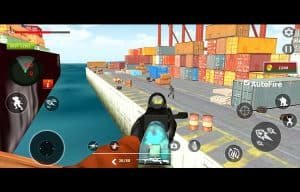
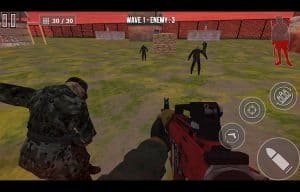
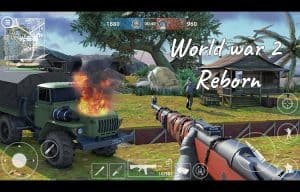
Screenshots :
What's Included
- Full Unity source code (clean & well-structured)
- AdMob integration (banner, interstitial, rewarded)
- Android & iOS ready for publishing
- Easy to reskin — change graphics, colors & branding
- Step-by-step documentation included
- Lifetime access & future updates
- Dedicated support after purchase
Technical Specifications
| Game Engine | Unity (compatible with newer versions) |
| Platforms | Android & iOS |
| Language | C# |
| Ads SDK | AdMob (Banner, Interstitial, Rewarded) |
| License | Single-use commercial license |
| Delivery | Instant digital download |
Frequently Asked Questions
How to Reskin & Publish in 4 Steps
Complete checkout and instantly receive a download link via email. Open the project in Unity.
Replace sprites, update colors, change the game name and icons. Follow our step-by-step documentation — no advanced coding needed.
Insert your AdMob App ID and Ad Unit IDs into the config. Banner, interstitial, and rewarded ads are already wired up.
Build for Android (APK/AAB) or iOS (IPA), then submit to Google Play or the App Store. Our support team is here if you need help.