Casino Slot Machine Unity Source Code

About This Source Code
Description :
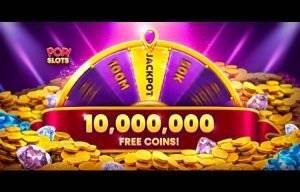
– Play the only casino-style slot machines free with bonus for Android. Enjoy great free slot machines, each with their own bonus mini games. Gain big experience in big win slots machines and you will climb up fast! Feel the thrill of real casino slots
Features :
• 5 premade Slot Games: 3×3 Classic, 3×3 Fruit Hold, 3×5 Classic, 3×5 243 Ways, 3×5 Bonus Wheel
• Lobby with ready GUI and Pop-Ups functionality
• Customizable Pay Table with probability calculator
• Customizable number, order, images and events of symbols on the reel
• A customizable number of slot lines and improved lines controller. 243, 81 and 27 Ways functionality.
• Automated Bet Lines creation
• Pay line events (for simple customize line win)
• Progressive Jackpot functionality with win amination
• Fruit Machine with Hold functionality
• Scatter, Bonus, Wild, Free Spin and Jackpot symbols functionality
• Spin simulation test for any selected symbol
• Daily Reward and Daily Spin functionality
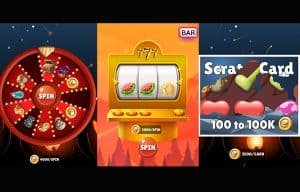
• 2 premade Mini-Games: Chests and Fortune Wheel
• Ready to add any number of games in Lobby
• Connect the player to Facebook, Facebook gift after login
• Ready to in-app purchasing
• Players data saving and reset to default data
• GUI controller with Pop Ups
• Admob ads Integrated
Tutorial :
Platform :
Unity 2021.3.8f1
Demo :
Screenshots :
What's Included
- Full Unity source code (clean & well-structured)
- AdMob integration (banner, interstitial, rewarded)
- Android & iOS ready for publishing
- Easy to reskin — change graphics, colors & branding
- Step-by-step documentation included
- Lifetime access & future updates
- Dedicated support after purchase
Technical Specifications
| Game Engine | Unity (compatible with newer versions) |
| Platforms | Android & iOS |
| Language | C# |
| Ads SDK | AdMob (Banner, Interstitial, Rewarded) |
| License | Single-use commercial license |
| Delivery | Instant digital download |
Frequently Asked Questions
How to Reskin & Publish in 4 Steps
Complete checkout and instantly receive a download link via email. Open the project in Unity.
Replace sprites, update colors, change the game name and icons. Follow our step-by-step documentation — no advanced coding needed.
Insert your AdMob App ID and Ad Unit IDs into the config. Banner, interstitial, and rewarded ads are already wired up.
Build for Android (APK/AAB) or iOS (IPA), then submit to Google Play or the App Store. Our support team is here if you need help.