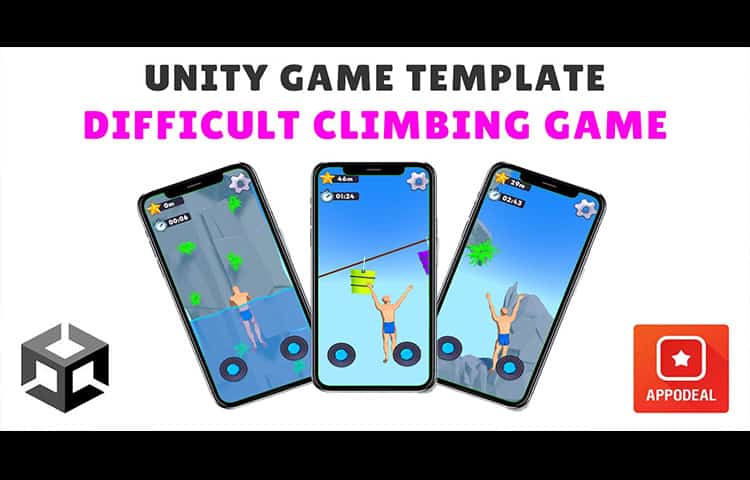
Difficult Game About Climbing Unity Source Code
About This Source Code
Description :
Experience the exciting world of adrenaline-pumping rock climbing with Difficult Game About Climbing. The highest peaks and the most extreme conditions are waiting for you here, where only the toughest and bravest climbers will be able to overcome all the obstacles and reach the top.
With each passing step of the game you will climb to more and more prohibitive heights, testing your endurance and ingenuity. In Difficult Game About Climbing you will be able to overcome dangerous cliffs, precipitous precipices and make spectacular jumps over the abyss to reach your goal.
Features :
- User-friendly and intuitive input,
- Exciting gameplay with elements of complexity,
- Pleasant graphics thanks to competent stylization of the environment and characters,
- Easy to reskin,
- Cross-platform character management,
- Can be used on any gaming platform,
- Customizable advertising bell that is shown during the game at certain intervals.
How To Play
Android/IOS:
- When you raise the cursor of one of the joysticks up, the character will make an upward leap with his body,
- When releasing one of the joysticks, the climber will automatically grab the obstacle, if it is in the area of the hand grip,
- One joystick is allocated for each hand, with their help you can rotate your hands to swing or make a jerk with a grip on the desired obstacle,
- Use one or two joysticks in a circular motion to cover the distance in the water faster.
PC:
- Use the “W” or “Space” button to make an upward jerk by the character to climb further.
- Use the left or right mouse button to activate a grab for an object (LMB refers to the left hand, RMB to the right, respectively).
- Use the “Escape” button to bring up the pause menu, and if the pause window is active, press “Escape” again to exit it.
Added plugins and SDKs:
Appodeal (mobile ads mediation),
Firebase Analytics (tracking users’ gameplay by receiving events),
Firebase Crashlytics (track application crashes on mobile devices and ANR errors),
DoTween (implementing beautiful animations for the interface through code),
SMAI Appodeal (addon to add your own app keys, without having to open the ad initialization code).
Tutorial :
Platform :
Unity 2022.3.19f1
Demo :
Screenshots :
What's Included
- Full Unity source code (clean & well-structured)
- AdMob integration (banner, interstitial, rewarded)
- Android & iOS ready for publishing
- Easy to reskin — change graphics, colors & branding
- Step-by-step documentation included
- Lifetime access & future updates
- Dedicated support after purchase
Technical Specifications
| Game Engine | Unity (compatible with newer versions) |
| Platforms | Android & iOS |
| Language | C# |
| Ads SDK | AdMob (Banner, Interstitial, Rewarded) |
| License | Single-use commercial license |
| Delivery | Instant digital download |
Frequently Asked Questions
How to Reskin & Publish in 4 Steps
Complete checkout and instantly receive a download link via email. Open the project in Unity.
Replace sprites, update colors, change the game name and icons. Follow our step-by-step documentation — no advanced coding needed.
Insert your AdMob App ID and Ad Unit IDs into the config. Banner, interstitial, and rewarded ads are already wired up.
Build for Android (APK/AAB) or iOS (IPA), then submit to Google Play or the App Store. Our support team is here if you need help.